Multiple accounts
Run all the Whatnot accounts you sell from in one app, switch between them, and see which ones have unread messages.
If you sell from more than one Whatnot account, HypeStream keeps them all connected. The person icon at the top of the left bar picks which one you're looking at.
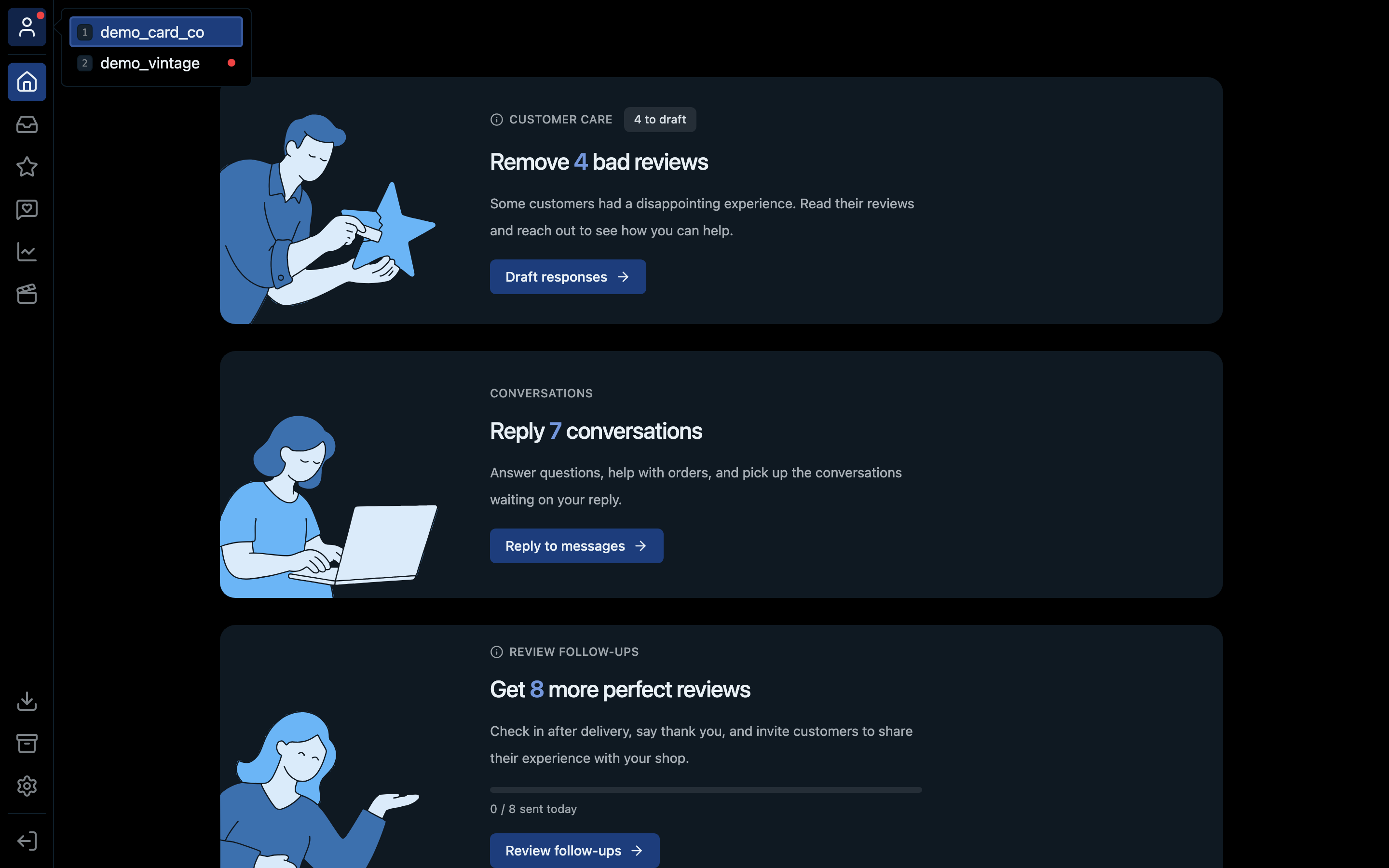
- 1The person icon opens the account list
- 2Pick an account. While the list is open, press its number to jump to it.
- 3A red dot means that account has unread messages
How to switch
- Click the person icon at the top of the left bar.
- Pick the account you want.
Every tab (inbox, reviews, customer breakdown and so on) then shows that account's data.
The red dot
A red dot on the person icon means one of your accounts has unread messages. Open the picker to see which one: it has the dot next to its name.
Shortcut
Press ⌘1 on Mac or Ctrl+1 on Windows to open the picker from anywhere.