Inbox & Archive
Answer every buyer from one place, with AI replies that sound like you, and handle refunds, returns and replacements.
The inbox brings every buyer message from your Whatnot account into one list: questions, order problems and new message requests. The AI suggests a reply for you to check before anything is sent.
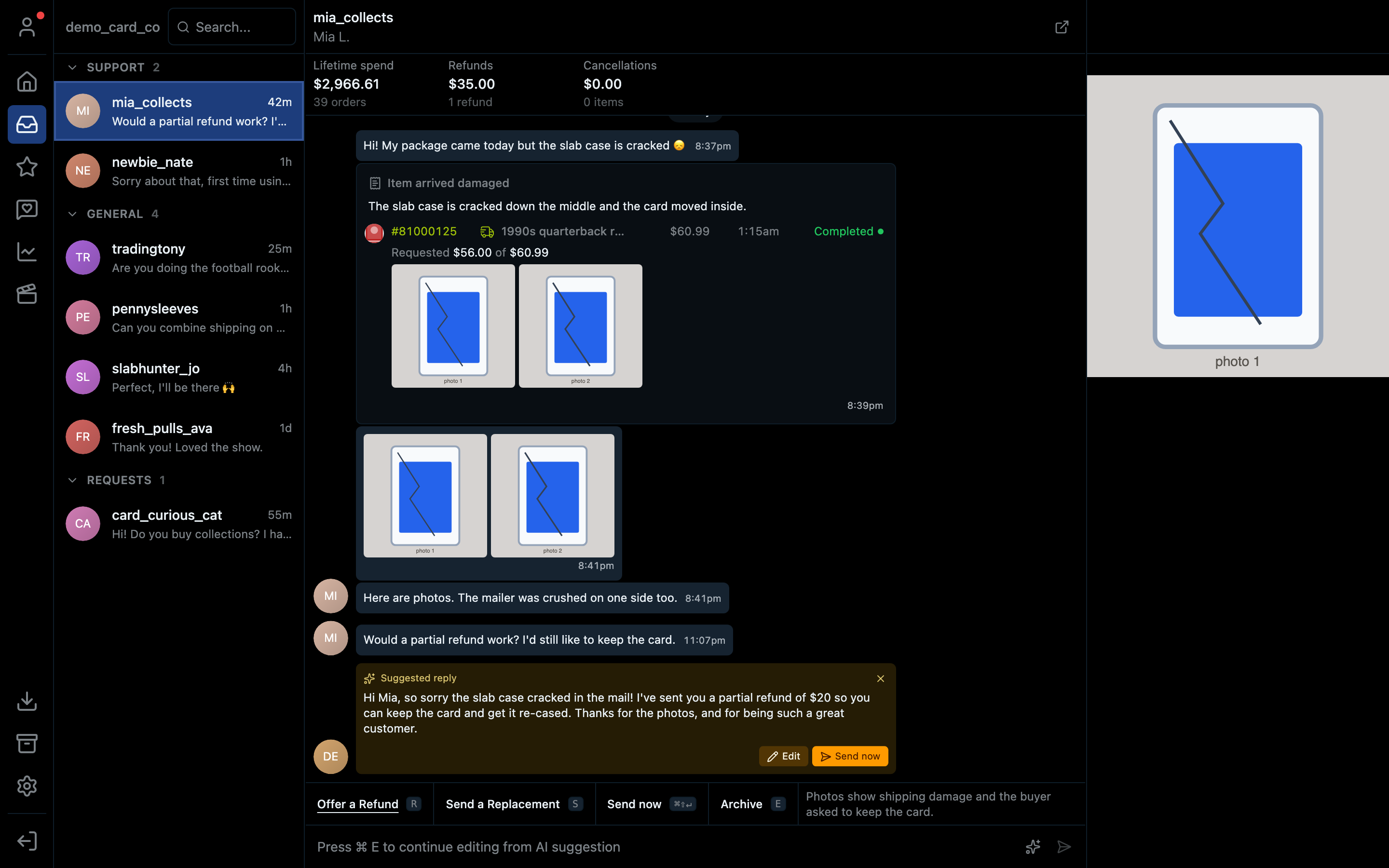
- 1The Support, General and Requests sections
- 2This buyer's lifetime spend, refunds and cancellations
- 3The AI's suggested reply: Edit it or Send now
- 4Offer a Refund (R) or Send a Replacement (S)
- 5Archive the conversation (E)
- 6Ask the AI for a fresh draft
- 7Open this conversation on Whatnot
The three sections
| Section | What's in it |
|---|---|
| Support | Order problems buyers raised through Whatnot: damaged items, missing items, cancellations |
| General | Everyday messages and questions |
| Requests | Messages from people you haven't talked to before. Accept or decline them. |
A conversation stays in the inbox while the buyer was the last to speak in the past 7 days. Once you've dealt with it, archive it.
Replying with the AI
- Click a conversation in the list.
- A Suggested reply appears under the last message. It uses the conversation, the buyer's orders and your Q&A settings.
- Click Edit to change it (or press ⌘E / Ctrl+E), or Send now if it's right.
- Want a different draft? Click the sparkle button at the right of the message box.
Nothing is sent without you clicking send.
Handling a support case
When a buyer reports a problem, the conversation shows the order, what they asked for and any photos they sent. The bar under the conversation has your options.
Offer a Refund opens this:
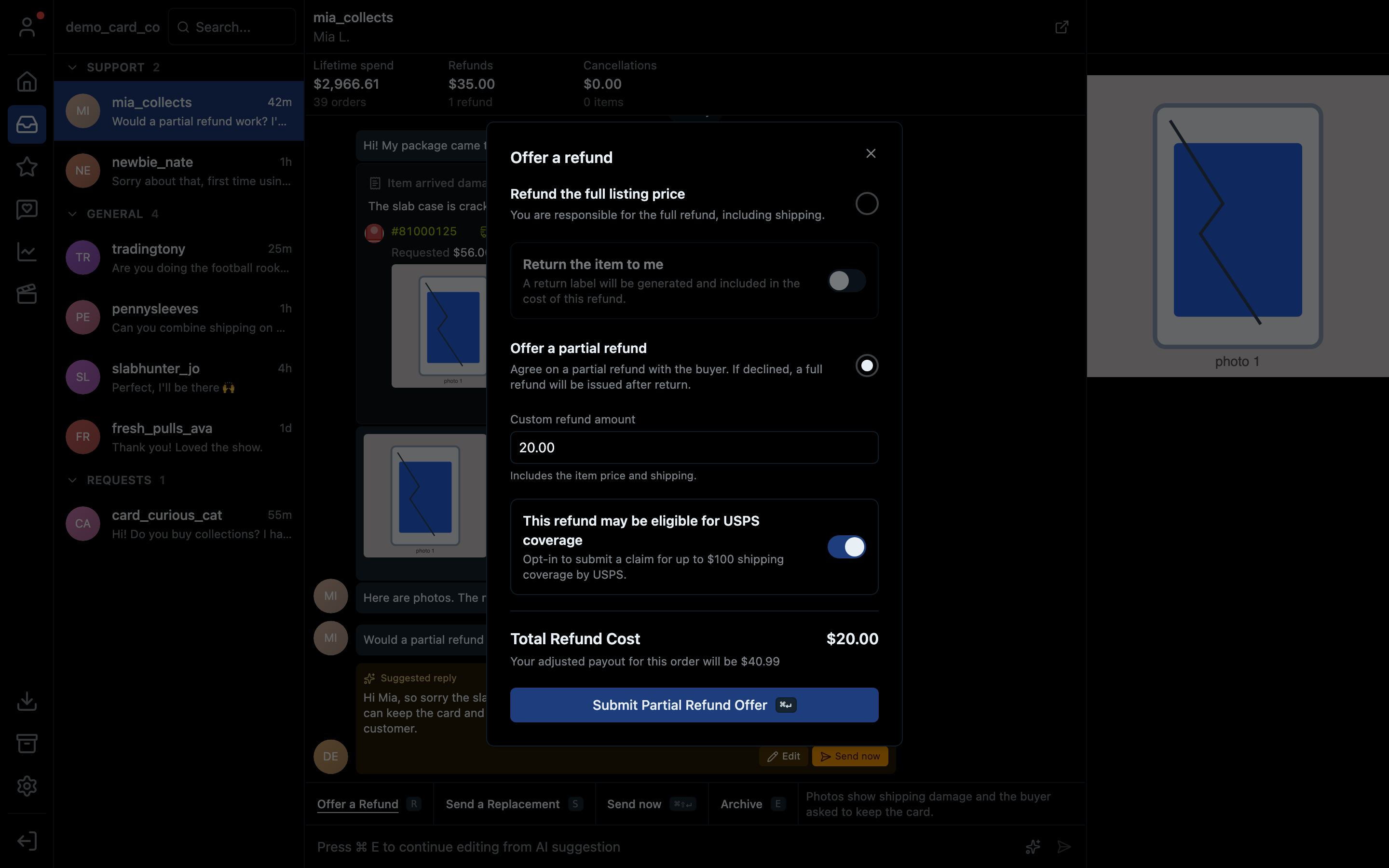
- 1Refund the full listing price, including shipping
- 2Ask for the item back: a return label is added to the refund
- 3Or offer a partial refund
- 4Type the amount (it includes the item price and shipping)
- 5Claim up to $100 of shipping coverage from USPS when the refund is eligible
- 6What the refund costs you, and your new payout for the order
- 7Send the offer to the buyer
If the buyer declines a partial refund, Whatnot issues a full refund after the item is returned.
Send a Replacement is for shipping a new item. Add a note, the courier and the tracking number.
Who you're talking to
The strip along the top shows the buyer's lifetime spend, refunds and cancellations. Their orders appear in the conversation with the show they bought in and the order status. Use it to decide how generous to be.
Archive
Press E on a conversation to archive it, or press E again in the archive to bring it back. The archive icon in the left bar opens the archive, which works just like the inbox.
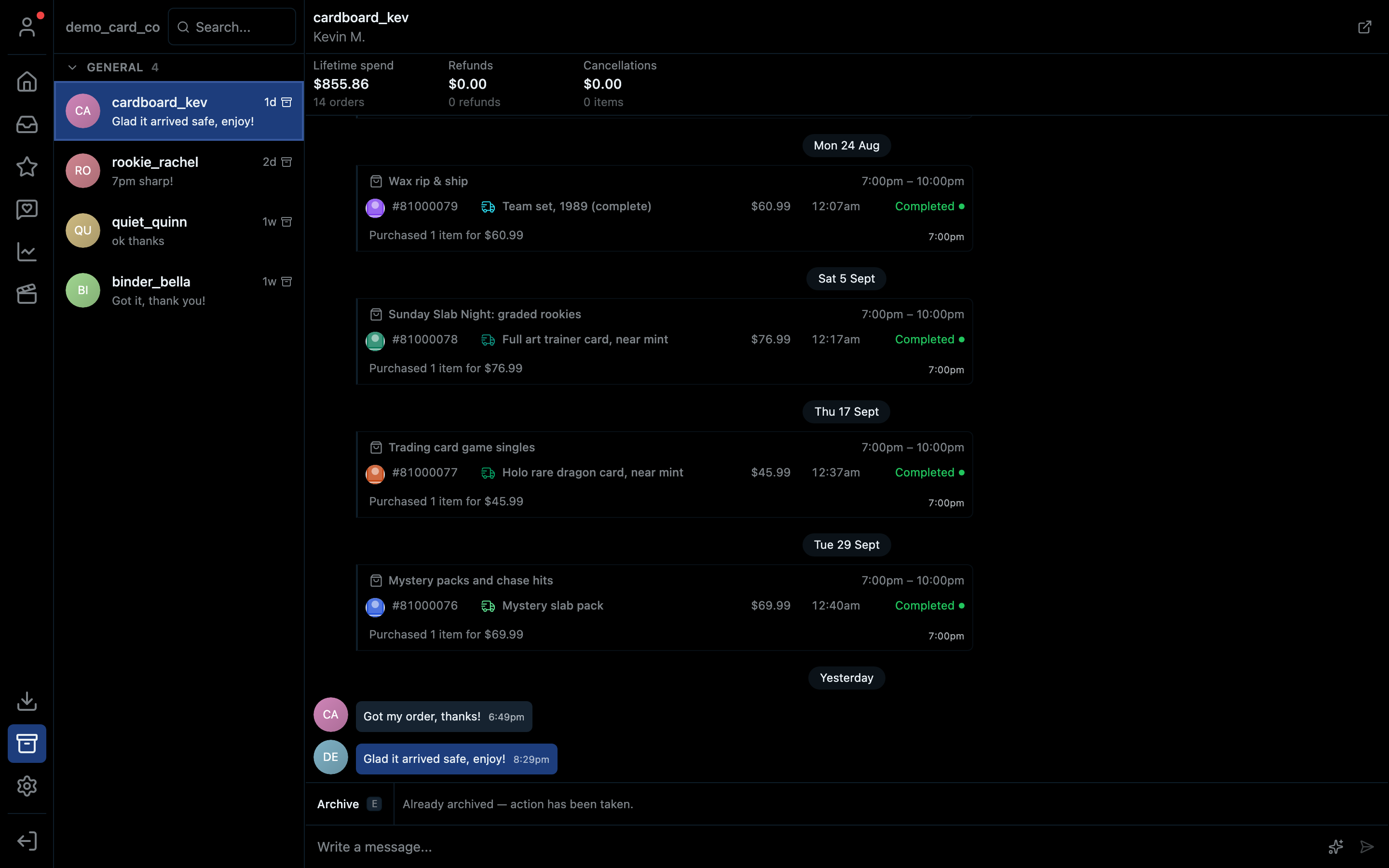
- 1The archive icon
- 2An archived conversation
- 3Press E to move it back to the inbox
Shortcuts
| Action | Mac | Windows |
|---|---|---|
| Open inbox | ⌘3 | Ctrl+3 |
| Open archive | ⌘⇧A | Ctrl+Shift+A |
| Offer a refund | R | R |
| Send a replacement | S | S |
| Archive / unarchive the open conversation | E | E |