Address reviews
Reach out to buyers who left you less than 5 stars, with replies drafted from their own conversations.
A review below 5 stars hurts your rating, but most of those buyers just had one thing go wrong. Address reviews finds them and helps you make it right. Only the buyer can change their review, so a good reply is the most you can do. It's often enough.
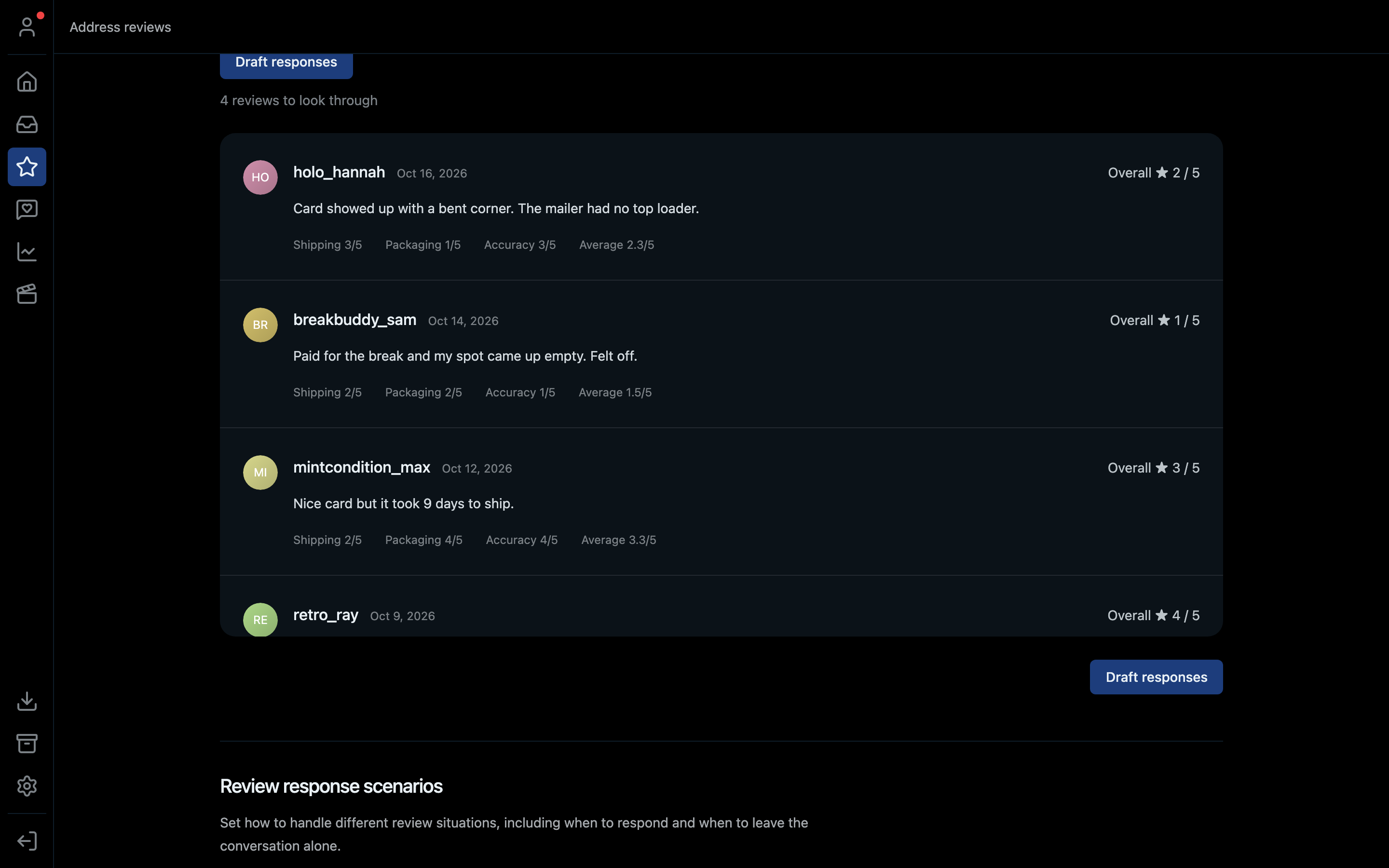
- 1Draft a reply for every review at once
- 2How many reviews need a look
- 3Who left it, what they wrote, and each star rating
- 4Review response scenarios: when to reply and when to leave it
Which reviews show up
Reviews from the past 30 days with an average below 5 stars that you haven't responded to yet.
How it works
- Click the star icon in the left bar.
- Read through the reviews. Each one shows the stars for shipping, packaging and accuracy, and what the buyer wrote.
- Click Draft responses. For each buyer, HypeStream reads their conversations and orders, works out where you can help, and drafts a personal reply.
- The drafts open in their own inbox, one conversation per buyer:
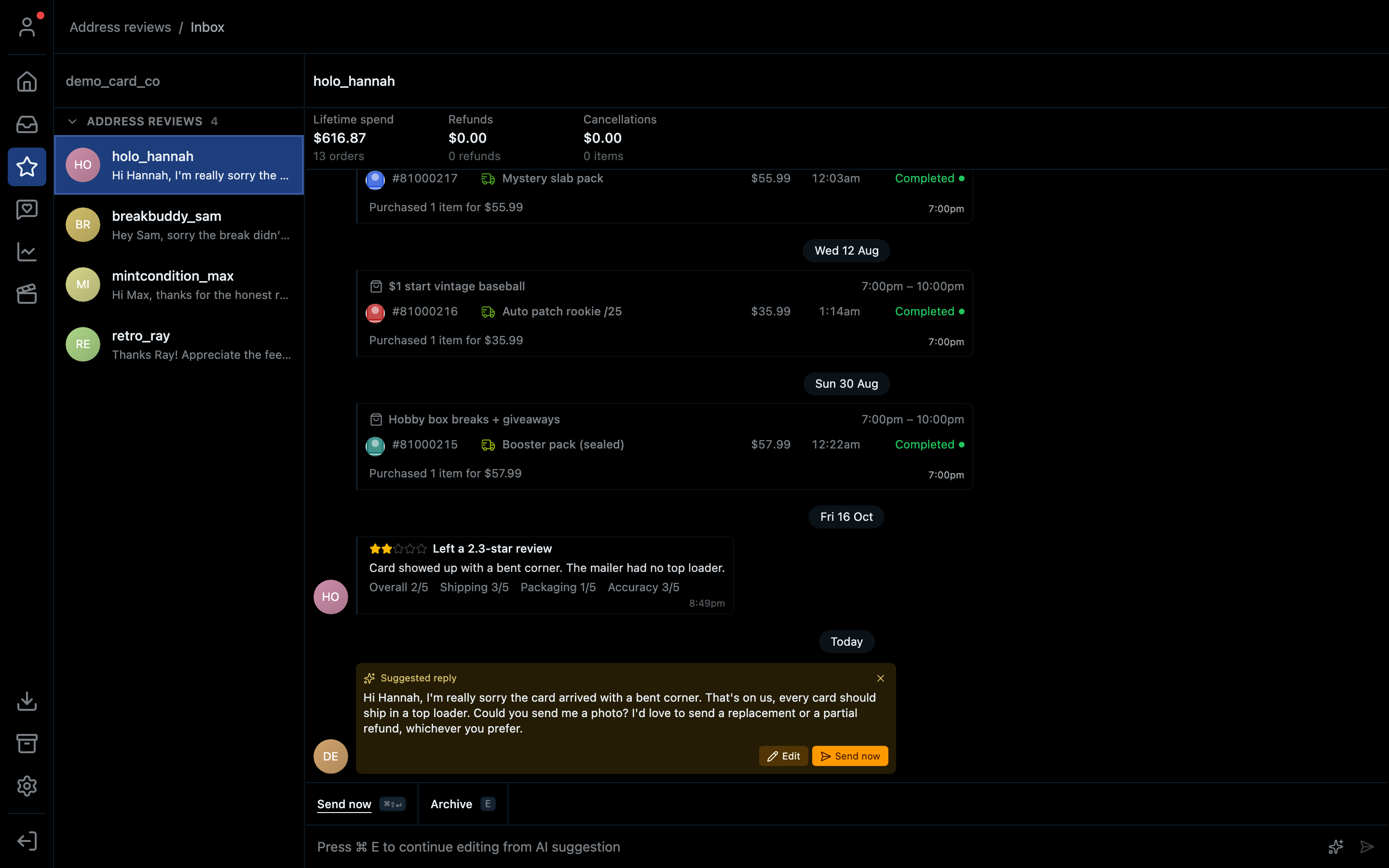
- 1Every buyer with a drafted reply
- 2Their review
- 3The drafted reply: Edit it or Send now
- Read each draft. Click Edit to change it, or Send now when it's right. You approve every message before it's sent.
Some reviews don't need a reply, for example a 4-star review with a happy comment. Archive those (E) instead.
Tips
- Fix the problem first, then ask. If the item arrived damaged, offer the refund or replacement in the same conversation (see the inbox).
- Don't ask them to change their review outright. Make it right and let them decide.
- Review response scenarios at the bottom of the page sets how the drafts should handle different situations, including when to leave a conversation alone.
Shortcut
⌘4 on Mac, Ctrl+4 on Windows.